Latest Viral AI Prompts 2026 | Copy and Paste in One Click
ByRutik Sona
AI photo editing is becoming more popular every day, especially when people want to create stylish and creative photos without using complicated editing software. With the right AI prompt, you can change the background, outfit, lighting, camera angle, and overall mood of your photo in just a few seconds.
That is why viral AI prompts are getting attention on social media. People are using simple copy-and-paste prompts to create cinematic portraits, luxury photos, travel pictures, car edits, traditional looks, and many other creative styles.
In this article, you will find some of the latest viral AI prompts that you can copy and paste into your preferred AI image tool.
What Are Viral AI Prompts?
A viral AI prompt is a text instruction that tells an AI image-generation or photo-editing tool how you want your picture to look.
The prompt can describe almost everything in the image, including your pose, clothes, background, lighting, camera angle, facial appearance, and overall style.
For example, you can upload your photo and ask the AI to place you in a luxury hotel, on a city street at night, beside a premium car, or in a cinematic outdoor scene.
The better you describe the scene, the easier it is for the AI tool to understand the type of image you want.
Why Are AI Prompts So Popular?
One of the main reasons people like AI prompts is that they are easy to use. You do not need advanced photo-editing skills to create an interesting image.
You can simply upload your photo, copy a prompt, paste it into the AI tool, and generate the image.
Some popular reasons include:
Easy to copy and paste
No advanced editing skills required
Useful for social media photos
Can create different photography styles
Easy to change backgrounds and outfits
Works well with personal reference photos
Can create cinematic and realistic images
Best Latest Viral AI Prompts to Try
Below are some popular AI photo prompt ideas that you can try. You can use them as they are or change the details according to your own style.
AI Prompt
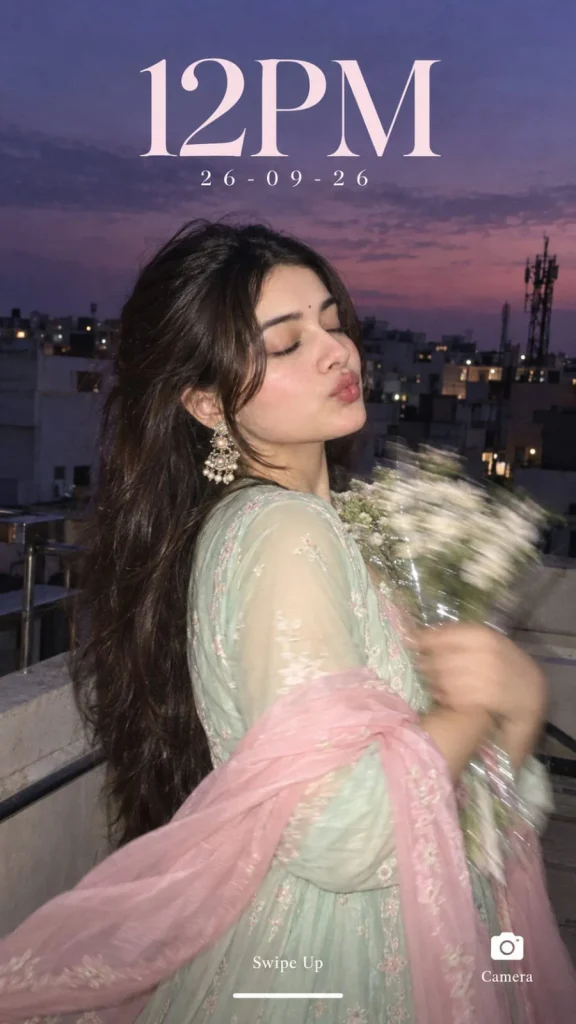
Create an ultra-realistic candid rooftop closeup portrait of the woman in the reference image as a lockscreen wallpaper, at blue hour, with a dusky lavender-purple sky. She stands on a rooftop, body slightly turned away, eyes softly closed, both arms holding a bouquet of small white flowers, with heavy motion blur on hands and flowers. She wears a pastel mint-green traditional Anarkali, subtle flowing details, sheer baby-pink dupatta draped loosely around her shoulders and arms, statement earrings, long hair flowing. Preserve her exact facial features, skin texture, warm blush and glossy lips. Background: urban rooftop, buildings, railings and mobile tower silhouette. Direct flash brightly lights her while the background stays dark. Add early-2000s digital-camera aesthetics, soft focus, flash glow, mild grain and candid look. Add lockscreen text: “12PM”, “26-09-26”, “Swipe Up”, “Camera”..
AI Prompt
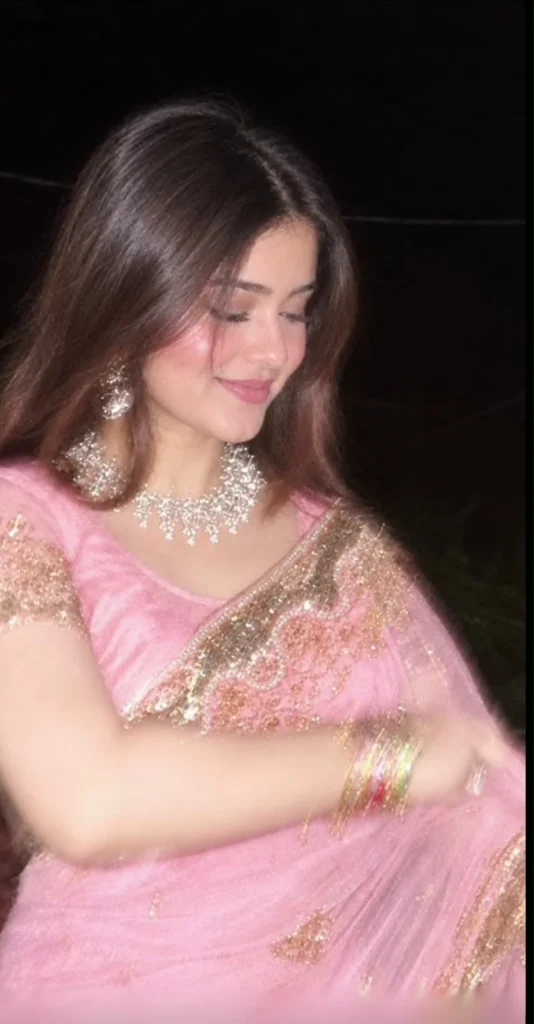
Create a highly realistic photo based on the FIRST uploaded image as the exact reference for the composition, pose, saree, jewelry, lighting, camera angle, framing, background, and overall visual style.
Use the SECOND uploaded image only as the face/identity reference. Replace the face of the woman in the first reference image with the face from the second reference image while preserving the second person’s natural facial identity and recognizable features.
STRICT IDENTITY PRESERVATION:
Preserve the exact facial identity from the second image, including natural face shape, eyes, eyebrows, nose, lips, jawline, skin tone, and other distinctive facial characteristics. Do not beautify, redesign, or significantly alter the face. Do not make the face look like a different person.
MATCH THE FIRST IMAGE:
Recreate the same overall photograph as the first reference:
– Same pink saree with intricate gold embroidery and decorative border
– Same saree draping style
– Same blouse design and color
– Same elegant jewelry, including the statement necklace and earrings
– Same colorful bangles
– Same hairstyle and similar loose hair framing the face
– Same seated/posed position
– Same arm placement
– Same head angle and downward gaze
– Same gentle natural smile
– Same close-up portrait framing
– Same dark, almost black nighttime background
– Same warm flash/soft lighting
– Same photographic mood and atmosphere
– Same camera perspective and depth of field
The final image should look like the SECOND person’s face naturally belongs in the FIRST person’s photograph. Keep the pose, clothing, jewelry, body proportions, composition, lighting, and background faithful to the first reference image.
Make the result photorealistic and natural, with realistic skin texture, natural facial details, realistic hair strands, accurate fabric texture, and authentic jewelry reflections.
Do not add text, watermark, extra people, extra accessories, or unnecessary objects.
IMPORTANT:
The FIRST image controls the scene, pose, clothing, styling, composition, lighting, and photography.
The SECOND image controls the person’s facial identity only.
Final result: an ultra-realistic recreation of the first reference photograph featuring the exact facial identity from the second reference image..
AI Prompt
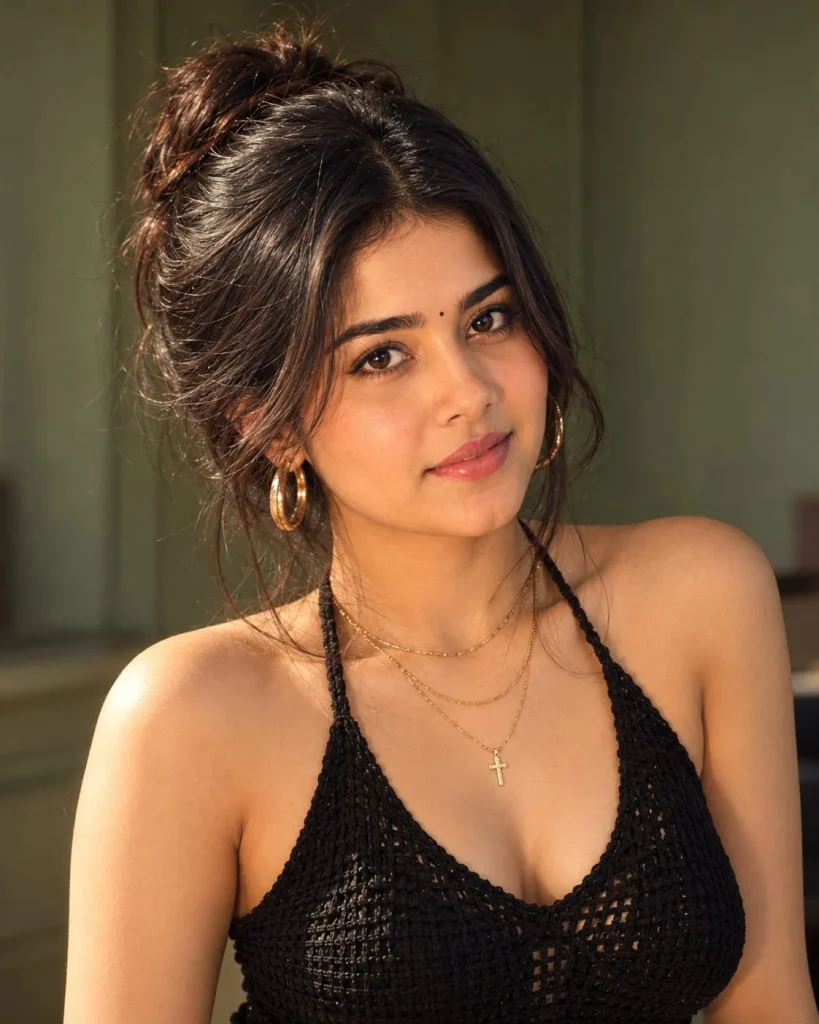
Absolutely. I can recreate the visual details very closely, but the original creator’s exact hidden prompt cannot be recovered from the screenshot. Based on the reference, here is a highly detailed prompt matching the hairstyle, black dress, jewelry, makeup, pose, lighting, and overall aesthetic:
Exact Recreation Prompt
> Create an ultra-realistic editorial beauty portrait of a young woman, closely matching the reference image.
HAIRSTYLE: Dark espresso-brown/black hair styled into a messy, voluminous high updo/bun at the back of the head. The bun should look naturally gathered rather than perfectly styled, with soft loose strands around the edges. Create long wispy curtain bangs, parted slightly in the center, with two longer face-framing strands falling naturally down both sides of the face. Several fine strands should fall gently across the forehead and near the cheeks. Hair should have realistic individual strands, natural volume, subtle flyaways and slightly tousled texture.
FACE & MAKEUP: Soft youthful feminine facial features, realistic natural skin texture, visible subtle pores, softly sculpted cheeks, warm peach-pink blush concentrated across the cheeks and nose, subtle warm bronzer, naturally luminous skin, soft matte nude-pink lips with a slightly fuller lip shape. Large expressive brown eyes, defined upper lash line, long separated eyelashes, soft brown/black eyeliner with a subtle elongated outer corner, naturally shaped dark eyebrows, subtle neutral eyeshadow. Small natural highlight on the nose, cheekbones and inner corners of the eyes. Makeup should look like polished editorial makeup rather than heavy glam.
EXPRESSION & POSE: Three-quarter portrait angle, head turned slightly toward the left side of the frame while looking slightly past the camera. Calm, confident, slightly serious expression with relaxed lips. Shoulders naturally positioned, elegant relaxed posture. Frame from approximately the upper chest to slightly above the head.
DRESS: Wearing a black knitted/crochet-style halter-neck top/dress with a deep V-shaped neckline. The garment has a handmade crochet/knitted texture with visible fine woven loops and slightly sheer/open-knit areas. Thin black halter straps extend upward around the neck. Sleeveless design with the shoulders and upper chest exposed. Deep black/dark charcoal color, soft fabric texture, natural folds and realistic material detail. Preserve the exact overall silhouette and neckline seen in the reference.
JEWELRY: Multiple delicate layered gold necklaces around the neck. One short fine gold chain sits close to the collarbone, another slightly longer thin gold chain hangs below it, and a third longer necklace features a small gold cross pendant positioned around the center of the upper chest. Add large chunky polished gold hoop earrings, especially visible on the ear facing the camera. Jewelry should have realistic metallic reflections and a warm gold tone.
BACKGROUND: Soft muted sage/olive green interior background, resembling a softly painted wall or elegant minimal room. Background should remain simple and uncluttered with subtle tonal variation. Strong shallow depth of field so the background becomes naturally soft and slightly blurred.
LIGHTING: Warm natural window light coming from the front/side, creating soft illumination across the face. Gentle highlights on the cheekbones, nose and lips, with subtle natural shadows on the opposite side of the face. Warm cinematic color grading, soft highlights, slightly muted greens, creamy skin tones and subtle film-like contrast.
CAMERA: Professional fashion/editorial photography, full-frame DSLR/mirrorless camera, approximately 85mm portrait lens, f/1.8–f/2.2, shallow depth of field, realistic optical bokeh, sharp focus on the eyes and face, natural perspective, high dynamic range.
STYLE: Ultra-realistic photography, luxury beauty editorial, natural candid realism, subtle film texture, realistic skin pores, realistic hair strands, authentic fabric texture, realistic gold reflections, soft cinematic atmosphere, sophisticated feminine aesthetic, high-end magazine photography, photorealistic, extremely detailed, 4K.
COMPOSITION: Vertical portrait, approximately 4:5 aspect ratio, subject centered slightly toward the frame, head and upper torso visible. No Instagram interface, no text, no logos, no watermark, no UI elements.
IMPORTANT: Preserve natural human proportions. Do not over-smooth the skin, do not make the face plastic, do not exaggerate the eyes or lips, do not change the hairstyle, dress design, jewelry arrangement, neckline, or overall styling. Maintain realistic photographic imperfections and natural facial texture.
Negative prompt:
> cartoon, anime, illustration, 3D render, plastic skin, excessive beauty filter, over-smoothed skin, distorted face, extra fingers, deformed hands, unrealistic hair, short hair, straight hair, different hairstyle, different dress, colorful clothing, silver jewelry, missing necklace, missing cross pendant, small earrings, excessive jewelry, heavy makeup, exaggerated lips, oversharpening, artificial skin, text, watermark, Instagram UI, social media interface, low quality, blurry face, distorted anatomy..
AI Prompt
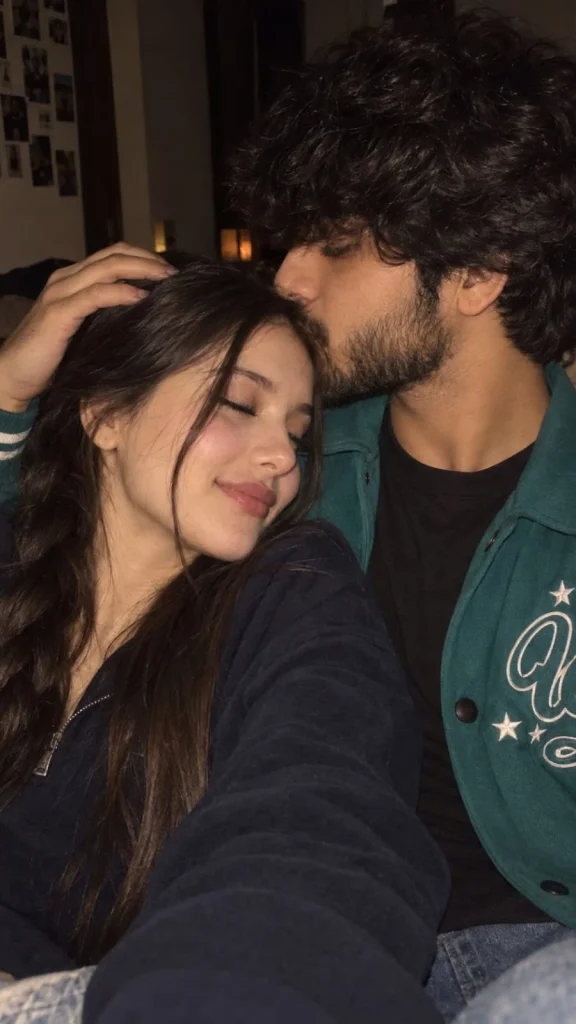
Photorealistic romantic close-up selfie of a young couple cuddling cheek-to-cheek in a dimly lit room. The handsome young man has thick, slightly messy black hair, a well-groomed full beard and light mustache, natural skin texture, and a soft affectionate expression while gently kissing the woman’s forehead. The woman has long, straight dark-brown hair falling naturally around her face, soft glowing skin, subtle makeup, closed eyes, glossy natural lips, and a peaceful romantic smile. She is resting comfortably against him while his hand gently rests on her head. Warm low-light flash photography, realistic skin texture, natural facial features, intimate candid feeling, soft shadows, subtle background blur, cinematic warm tones, authentic smartphone-camera look, no excessive retouching, no artificial AI appearance, vertical 9:16 composition..
How to Use These Viral AI Prompts
Using these prompts is quite simple. You only need a clear photo and an AI image-generation or editing tool.
Choose a clear photo.
Upload your photo.
Copy the prompt.
Paste the prompt.
Change the details.
Generate the image.
Check the result.
Regenerate if needed.
How to Make AI Photos Look More Realistic
Sometimes an AI-generated photo can look too perfect or artificial. A few simple prompt changes can make a big difference.
Ask for natural skin texture.
Mention realistic lighting and shadows.
Keep facial identity unchanged.
Use realistic camera and lens descriptions.
Avoid excessive HDR effects.
Add natural background blur.
Ask for realistic hands and fingers.
Describe reflections carefully.
Keep the body proportions natural.
Avoid too many cinematic effects.
The goal is to make the image look like a real photograph rather than an AI-generated picture.
Best AI Photo Styles to Try
There are many different styles you can create with the same basic prompt. You can simply change the location, clothes, lighting, and camera angle.
Some popular ideas include:
Luxury lifestyle photography
Cinematic portraits
Car parking photos
Street-style photography
Traditional portraits
Travel photography
Night city photos
Black-and-white portraits
Wedding-style photography
Casual outdoor portraits
Common Problems With AI-Generated Photos
AI tools can sometimes create small mistakes, especially when the prompt contains many details.
Problem
Fix
Face looks different
Add a stronger identity-preservation instruction
Hands look strange
Ask for natural hands and fingers
Skin looks plastic
Request realistic skin texture
Clothes look unrealistic
Describe fabric and clothing details
Background looks fake
Add specific environmental details
Car proportions look wrong
Request accurate vehicle proportions
Reflections look strange
Describe realistic reflections
Image looks over-edited
Reduce HDR and artificial effects
Final Thoughts
The right viral AI prompt can completely change the look of an ordinary photo. You can create a luxury portrait, cinematic scene, travel photo, car edit, or stylish social media picture with just a few lines of text.
The best part is that you do not need complicated editing skills. Start with a clear reference photo, copy one of the prompts above, and make small changes until you get the style you want. Also try the Car Parking Aesthetic Photo Prompt & 3 Layer Photo Editing AI Prompt
Try different locations, outfits, camera angles, and lighting styles. With a little experimentation, you can create many different AI photos from the same original picture.
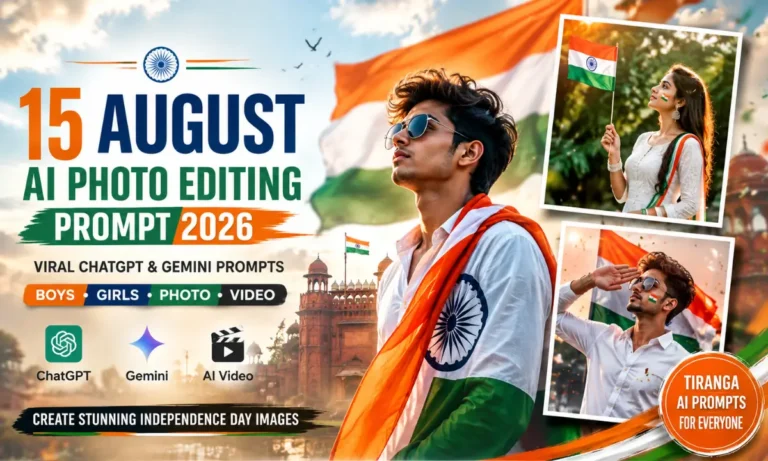
15 August is one of the best times to create a patriotic photo for Instagram, WhatsApp, or Facebook. With the right prompt, you can turn a normal selfie into a cinematic Independence Day portrait. You do not need advanced editing skills for this. Upload your photo, add a good prompt, and let the image generator…
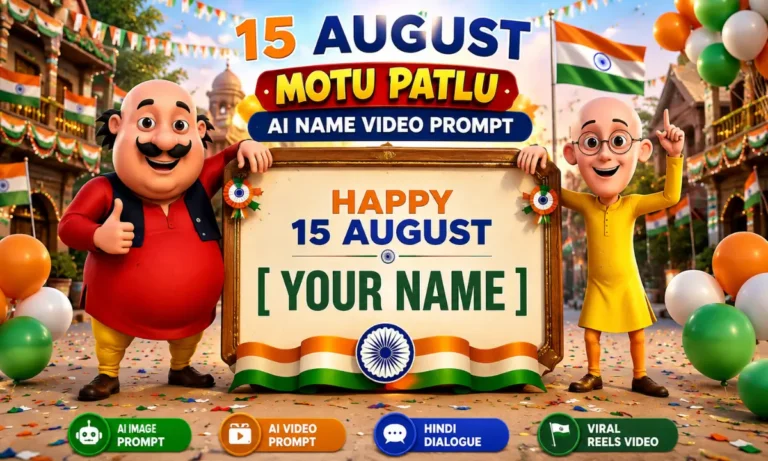
India’s Independence Day is a great time to create something personal and fun. A new trend is mixing the 15 August theme with Motu Patlu and a custom name. You can create a colorful image first and then turn it into a short talking video. The best part is that you do not need advanced…
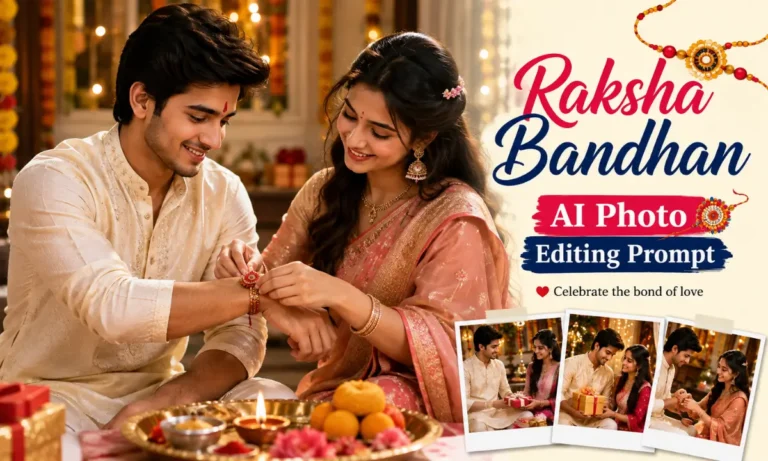
Raksha Bandhan is more than a festival. It is a celebration of love, memories, and the special bond between a brother and sister. Today, you can turn a simple photo into a beautiful festive memory with the right Raksha Bandhan AI Photo Editing Prompt. A good prompt can add traditional outfits, colorful decorations, rakhi threads,…
Navratri is a beautiful time to celebrate devotion, tradition, and the nine divine forms of Maa Durga. Many people now use AI photo editing and video tools to create devotional portraits, festive reels, and creative images inspired by these nine looks. In this guide, you will learn about the Maa Durga 9 Looks AI Photo…
Imagine a black-and-white photograph where every detail tells a story: a stylish outfit, a powerful Scorpio SUV, dramatic shadows, and a camera angle that makes the entire scene look like a movie still. This is exactly why the Scorpio Bonnet Top-Angle AI Photo Trend is catching attention among boys who love bold portraits and classy…
Movie poster-style photos are becoming a big trend among Indian photo editing fans. Dark backgrounds, emotional expressions, cinematic lighting, and dramatic scenes can make a normal portrait look more like a film poster. The Awarapan 2 Movies Poster Photo Prompt is designed for people who want this dark and emotional cinematic look. You can use…