15 August Motu Patlu AI Name Video Prompt 2026
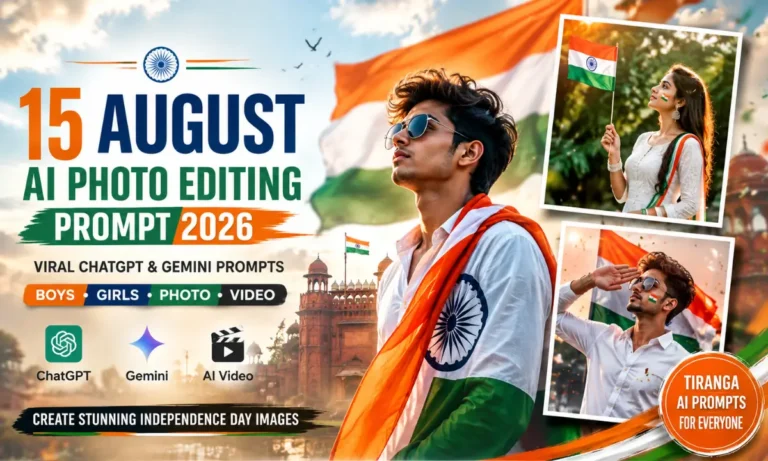
India’s Independence Day is a great time to create something personal and fun. A new trend is mixing the 15 August theme with Motu Patlu and a custom name. You can create a colorful image first and then turn it into a short talking video.
The best part is that you do not need advanced editing skills. With a good prompt, you can create the scene with tools such as ChatGPT and Google Gemini. You can add your name, village name, city name, or a short patriotic message.
In this guide, I will show you how to create a 15 August Motu Patlu AI Name Video from start to finish. You will also get ready-to-use image and video prompts. Also check: 15 August AI Photo Editing Prompts & 3 Layer Photo Prompt.
What Is 15 August Motu Patlu AI Name Video?
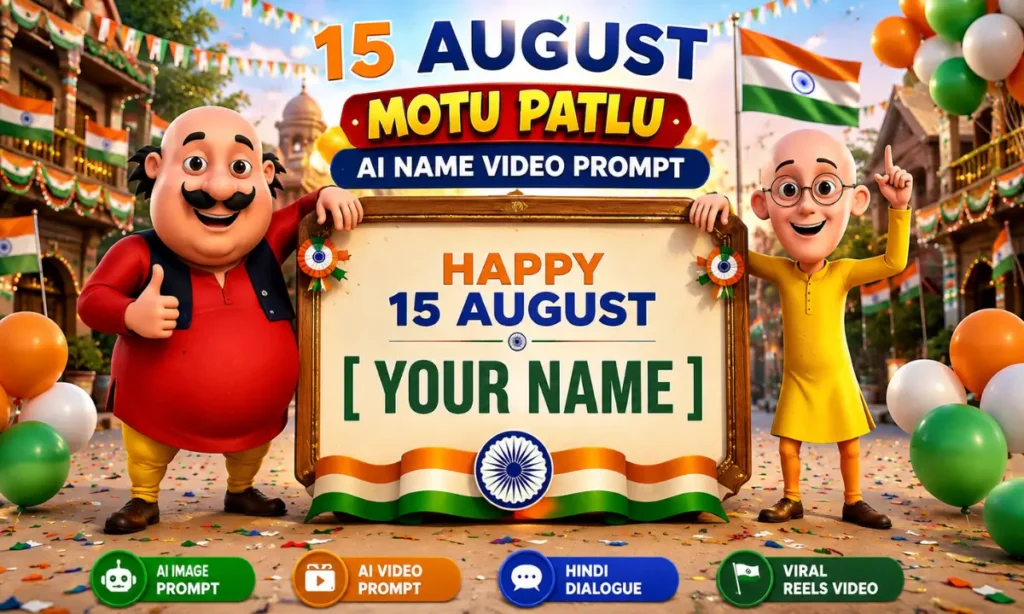
The 15 August Motu Patlu AI Name Video is a personalized Independence Day video concept. It features Motu and Patlu in a patriotic Indian setting with your name or location displayed in the scene.
The basic process has two parts.
First, you create an AI-generated Independence Day image. Motu and Patlu can stand together with the Indian tricolor, flags, balloons, and a name board.
Next, you use that image as a reference for an AI video generator. The characters can blink, move, gesture, and speak a short Hindi dialogue.
This makes the final result feel more like a small animated Independence Day greeting instead of a normal photo.
You can use your own name, such as Rahul, or a place name such as Gujranwala, Delhi, Mumbai, Jaipur, Lucknow, or Meerut. This personal touch is one reason name-based videos work well for social media.
Features of This Viral AI Video
A good Independence Day Motu Patlu video can include several visual elements:
- Motu and Patlu as the main characters
- Your personal name or city name
- Indian tricolor flags
- Ashoka Chakra
- 15 August decorations
- Patriotic balloons
- India-themed background
- Hindi dialogue
- Natural facial movement
- Smooth lip-sync
- Cinematic lighting
- Vertical 9:16 format
- Short-form video composition
You can also change the scene. For example, you could place the characters near a decorated street, school ground, city landmark, or Independence Day celebration.
The key is to keep the name and patriotic theme clear. Too many objects can make the generated image look messy.
15 August Motu Patlu AI Name Image Prompt
Before making the video, create a strong reference image. This gives the video generator a fixed scene to animate.
You can use the following prompt in ChatGPT or another compatible image creation tool.
Create a high-quality vertical 9:16 3D animated Independence Day scene featuring Motu and Patlu standing together in a cheerful Indian celebration. Motu stands on the left and Patlu stands on the right. Keep their recognizable cartoon appearance, different body shapes, facial expressions, clothing details, and height difference consistent. Both characters face the camera and smile naturally. They are standing in a beautiful Indian Independence Day environment decorated with Indian tricolor flags, saffron, white and green balloons, small patriotic banners, confetti, and warm festive lights. Add a large Indian tricolor flag in the background with a clearly visible Ashoka Chakra. Place a clean decorative signboard near the characters. The signboard must clearly display: “HAPPY 15 AUGUST” “[YOUR NAME]” Make [YOUR NAME] the main personalized text. Keep the spelling exact, large, bold, centered, and easy to read. Add a beautiful Indian city-style background with a clean road, trees, decorative lights, and a festive Independence Day atmosphere. Use warm evening sunlight, soft shadows, cinematic depth, detailed 3D textures, realistic lighting, and a polished animated-movie look. Composition: vertical 9:16, eye-level camera, full-body characters, balanced framing, sharp foreground, detailed background. Make the image colorful, clean, festive, high-resolution, and suitable for an Instagram Reel, YouTube Short, or WhatsApp Status. Do not add random characters. Do not misspell the name. Do not distort the characters. Keep the personalized name clearly visible.
Replace [YOUR NAME] with your own name before generating the image.
For example:
HAPPY 15 AUGUST
RAHUL
You can also use:
HAPPY 15 AUGUST
JAIPUR
This is useful if you want to create a 15 August city name video instead of a personal name video.
15 August Motu Patlu AI Name Video Prompt
Once your image is ready, you can animate it with a compatible image-to-video tool.
Upload the generated image and use this original video prompt:
Animate the uploaded image while keeping the original characters, clothing, name board, background, colors, and camera composition unchanged.

Motu stands on the left and Patlu stands on the right. Add natural blinking, small head movements, subtle body motion, friendly facial expressions, and realistic hand gestures.

Motu looks toward the camera and says in Hindi:

"दोस्तों, [YOUR NAME] की तरफ से आप सभी को 15 अगस्त की हार्दिक शुभकामनाएं। जय हिंद!"

Patlu then smiles and says:

"आप सभी को स्वतंत्रता दिवस की बहुत-बहुत बधाई। अपने देश पर हमेशा गर्व करें!"

Both characters smile at the end and make a respectful Namaste gesture.

Keep the Hindi lip-sync natural and synchronized with the correct speaker. Do not change the personalized name on the signboard.

Use smooth animation, cinematic lighting, subtle camera movement, natural expressions, clean audio, and a festive Independence Day atmosphere.

Video format: vertical 9:16.
Style: polished 3D animation.
Duration: short social media video.
Do not add extra characters or change the background.
Best ChatGPT Prompt for 15 August Motu Patlu Name Video
ChatGPT can be useful for creating the first image and refining the prompt. The important thing is to explain exactly what you want.
Start by uploading a clear reference photo if you want a personalized character or person included. Then paste the image prompt.
You can ask ChatGPT to keep the face, pose, name, and overall composition consistent.
For example, you can add this instruction:
“Keep the uploaded person’s facial identity natural and recognizable. Do not change the main facial features. Place the person naturally in the Independence Day scene with Motu and Patlu.”
A clear reference image usually gives better results than a blurry selfie.
Best Google Gemini Prompt for 15 August Motu Patlu AI Video
Google Gemini and compatible video-generation tools can also be used for the image-to-video stage.
Upload your completed image first. Then tell the tool to animate the existing image instead of redesigning the scene.
This part matters because image-to-video tools can sometimes change clothes, backgrounds, text, or character positions.
Use instructions such as:
Use the uploaded image as the exact visual reference. Animate only the characters.

Keep the name board, Indian flags, background, character positions, clothing, colors, and camera framing unchanged.

Add natural blinking, facial expressions, subtle body movements, hand gestures, and accurate Hindi lip-sync.

Do not redesign the image or replace the personalized name.

Create a short vertical 9:16 Independence Day greeting video with smooth cinematic animation.
This keeps the animation focused on movement rather than creating a completely new scene.
How to Add Your Name in the Video
Adding a name is simple.
Step 1: Choose Your Name
Decide whether you want your personal name, nickname, village, or city name.
Step 2: Replace the Placeholder
Find [YOUR NAME] in the prompt and replace it with your chosen text.
Step 3: Generate the Image
Create the Independence Day image and check the signboard carefully.
Step 4: Check the Spelling
AI image tools can sometimes make mistakes with text. If your name looks wrong, regenerate the image.
Step 5: Animate the Image
Upload the final image to an image-to-video tool and use the video prompt.
Step 6: Add Music
You can add suitable patriotic background music during the final edit.
How To Create 15 August Motu Patlu AI Video Using ChatGPT
The process is beginner-friendly.
1. Open ChatGPT.
Start a new chat and choose an image creation option if available.
2. Upload Your Reference Photo.
Use a clear photo if your prompt needs a personal face.
3. Paste the Image Prompt.
Copy the prompt from this article and replace the name placeholder.
4. Generate the Image.
Wait for the image to finish. Check the character design, face, name, and background.
5. Fix Any Mistakes.
If the name is incorrect or the scene looks different from your idea, improve the prompt and generate another version.
6. Move to the Video Stage.
Use the final image in a compatible image-to-video generator.
This image-first workflow is also used in current Motu Patlu name-video tutorials, where the personalized poster is created before it is animated.
Best Editing Tips For Viral Results
A good prompt is only one part of the final result. Editing also matters.
- Keep the video short and engaging.
- Use a vertical 9:16 aspect ratio.
- Make the name large and readable.
- Use a clear reference image.
- Avoid putting too much text on the screen.
- Check the Hindi lip-sync before posting.
- Add suitable patriotic background music.
- Keep the first few seconds visually interesting.
- Use clean transitions if you edit the clip further.
- Export at the highest practical quality.
For Instagram Reels and YouTube Shorts, vertical framing works best because it fills the phone screen.
Conclusion
Creating a 15 August Motu Patlu AI Name Video can be a fun way to celebrate Independence Day. The process is simple when you divide it into two parts.
First, create the personalized image with Motu, Patlu, the Indian flag, and your name. Then use that image to create a short animated video with Hindi dialogue.
You can personalize the idea even more by adding your city name, village name, school name, or a friend’s name.
For the best result, keep the prompt clear, use a good reference image, check the spelling, and make the final video in 9:16 format.
Once your video is ready, add suitable music and share your Independence Day creation on Instagram Reels, YouTube Shorts, Facebook, or WhatsApp Status.
Jai Hind! 🇮🇳