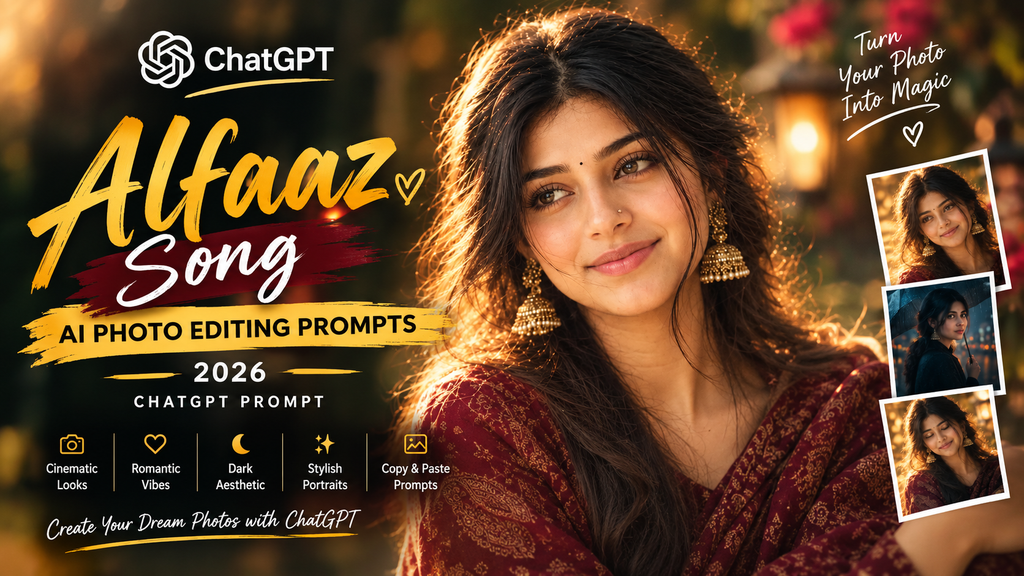
Alfaaz Song AI Photo Editing Prompts 2026 | ChatGPT Prompt
ByRutik Sona
The Alfaaz Song AI Photo Editing Prompts 2026 trend is a creative way to transform your ordinary photos into stylish, cinematic portraits inspired by the mood and aesthetic of the Alfaaz song. With ChatGPT and AI image editing tools, you can create eye-catching photos featuring romantic vibes, moody lighting, aesthetic backgrounds, and professional color grading.
You do not need advanced photo editing skills to try this trend. Simply choose a prompt, copy it, upload your photo to an AI image tool that supports image editing, and generate your desired look.
What Makes Alfaaz Song AI Photo Editing Popular?
Music-inspired photo editing has become a creative way to express emotions through pictures. The Alfaaz Song aesthetic can be recreated with soft lighting, dramatic shadows, stylish outfits, and cinematic color effects.
Instead of spending hours editing a photo manually, you can describe your desired result in a simple text prompt. An AI image editor can then use your instructions to create a new look.
Some popular ideas include:
Emotional portraits with cinematic lighting
Romantic pictures with warm tones
Stylish Punjabi-inspired looks
Dark backgrounds with dramatic shadows
Aesthetic portraits for social media
Music-video-inspired photography
Best Alfaaz Song AI Photo Prompts for ChatGPT
AI Prompt
Image Generation Prompt
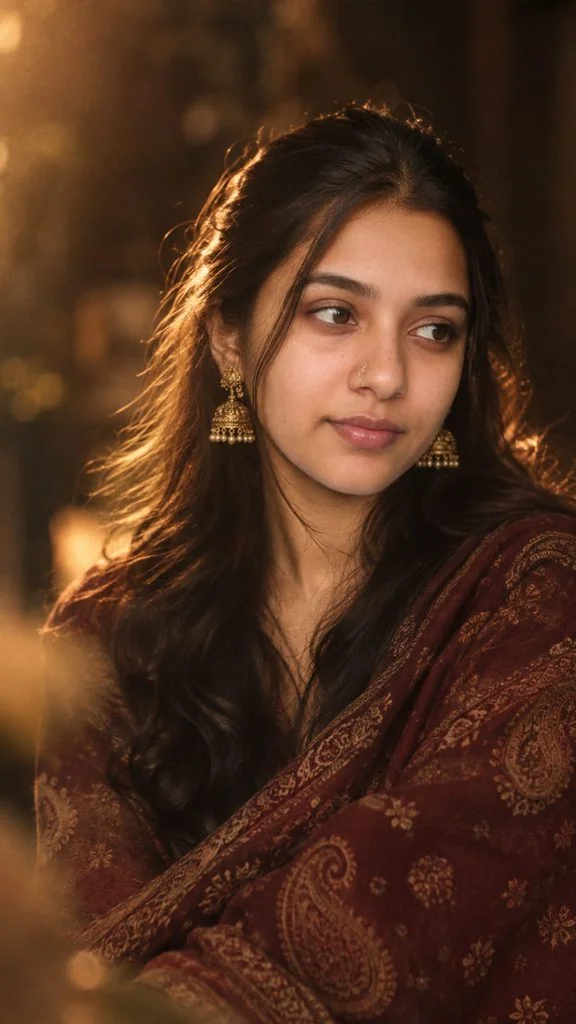
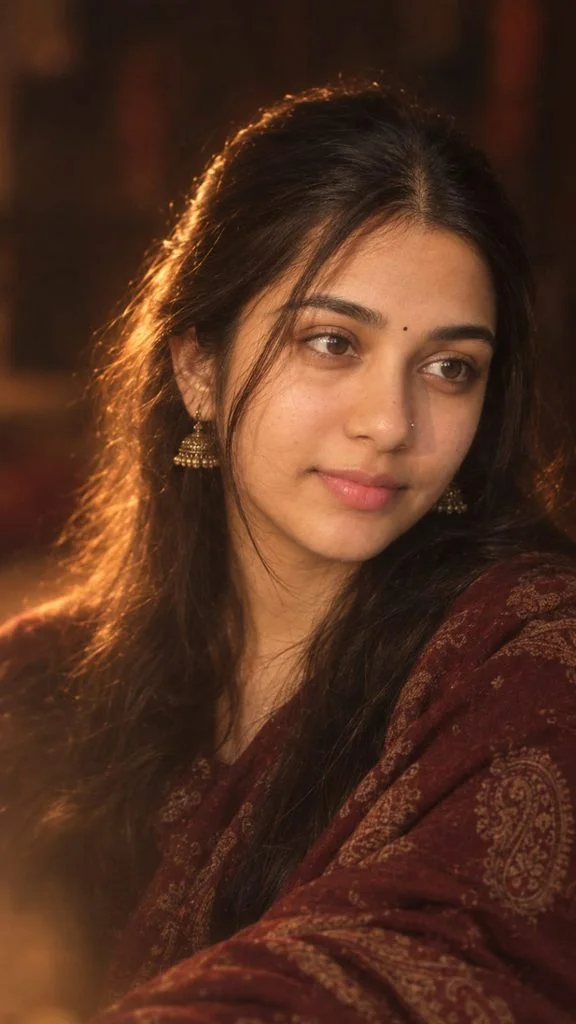
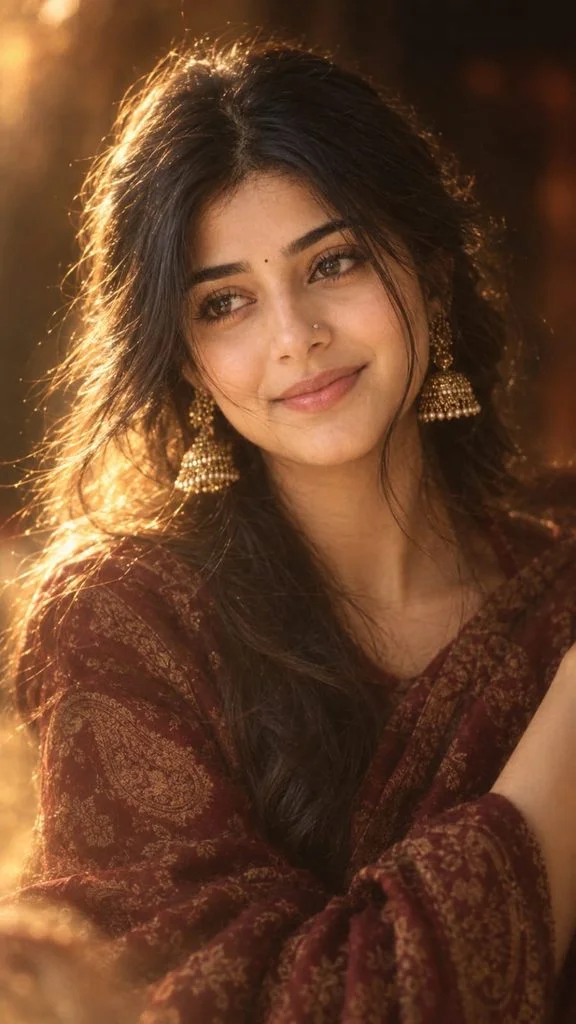
Use Image 1 as the complete visual reference and Image 2 as the face/identity reference.
Recreate the portrait from Image 1 as closely as possible, but replace the woman’s identity with the person shown in Image 2. Do not copy the face from Image 1.
COMPOSITION & POSE
• Vertical portrait, ~9:16
• Same seated/upper-body composition and framing as Image 1
• Woman positioned slightly toward the center-right
• Head turned slightly to the side, eyes looking gently off-camera toward the left
• Calm, subtle, natural expression with a very soft hint of a smile
• Natural candid photography, not a posed headshot
OUTFIT
• Deep burgundy/maroon paisley-patterned shawl/dupatta
• Rich traditional Indian textile with muted antique-gold motifs
• Same draping style and coverage as Image 1
ACCESSORIES
• Small delicate traditional nose ring/nose ornament
• Ornate antique-gold jhumka earrings
• Placed and scaled like in Image 1
HAIR
• Long, dark, naturally voluminous hair
• Soft loose waves, middle/slightly off-center parting
• Hair falling naturally around shoulders
• A few loose strands around the face
• Backlit hair strands with golden rim light
LIGHTING
• Warm amber/golden cinematic lighting
• Soft backlight creating a halo around the hair
• Gentle warm illumination on the face
• Dark, moody background with reddish-brown ambience
• Soft highlights, natural falloff, rich shadows
BLUR / DREAMY EFFECT
• Very shallow depth of field
• Soft-focus portrait photography
• Gentle lens diffusion and dreamy haze
• Subtle foreground blur, creamy background bokeh
• Slight film grain, vintage photographic feel
• Keep face recognizable and naturally focused
COLOR GRADING
• Deep chocolate brown, warm amber, burnt red, burgundy
• Muted antique gold, warm skin tones
• Low-to-medium contrast, slightly desaturated vintage finish
SKIN & FACE
• Keep the person’s real identity from Image 2
• Natural, warm skin with gentle blush
• Subtle glossy/rosy lips, soft defined eyes, natural brows
• Light cinematic retouching (no over-smoothing or reshaping)
PHOTOGRAPHY STYLE
• Feels like a real photograph, not AI
• Professional portrait look with wide aperture
• Warm practical lighting, shallow depth of field
• Cinematic, dreamy, slightly vintage mood
FINAL RESULT
Should look like the person from Image 2, photographed in the exact same cinematic environment and styling as Image 1..
AI Prompt
IMAGE EDIT / FACE REPLACEMENT PROMPT
Use Image 1 as the complete visual reference and Image 2 as the face/identity reference.
Recreate the portrait from Image 1 as closely as possible, but replace the woman’s facial identity with the person shown in Image 2. Do not copy the face from Image 1. Use the facial features, face shape, eyes, nose, lips, skin tone and overall identity from Image 2.
Keep everything else inspired by Image 1:
COMPOSITION & POSE
Vertical portrait, approximately 9:16
Same seated/upper-body composition and framing as Image 1
Woman positioned slightly toward the center-right of the frame
Body posture relaxed and elegant
Head turned slightly toward the side
Eyes looking gently off-camera toward the left
Calm, subtle, natural expression with a very soft hint of a smile
Natural candid photography rather than a posed studio headshot
Preserve the approximate camera angle, crop, perspective and subject-to-frame proportions of Image
1
OUTFIT
Recreate the deep burgundy/maroon paisley-patterned shawl/dupatta
Rich traditional Indian textile appearance
Intricate muted antique-gold paisley motifs
Same draping style and coverage across the shoulders and upper body
Do not introduce a different outfit, blouse, color or pattern
ACCESSORIES
Small delicate traditional nose ring/nose ornament similar to Image 1
Ornate antique-gold jhumka earrings
Keep the accessories subtle, elegant and realistic
Accessories should follow the placement and scale visible in Image 1
HAIR
Long, dark, naturally voluminous hair
Soft loose waves
Middle/slightly off-center parting
Hair falling naturally around the shoulders
A few loose strands around the face
Preserve the beautiful backlit hair strands visible in Image 1
Hair should look naturally photographed, not artificially perfect
LIGHTING Recreate the distinctive lighting of Image 1:
Warm amber/golden cinematic lighting
Strong but soft golden rim light/backlight around the hair
Gentle warm illumination across the face
Dark, moody background
Subtle reddish-brown ambient light in the background
Soft highlights rather than harsh white lighting
Natural falloff from the illuminated face into the darker surroundings
Preserve the glowing halo around individual strands of hair
BLUR / DREAMY EFFECT – VERY IMPORTANT The defining visual style should be the soft aesthetic blurry cinematic effect seen in Image 1.
Create:
Very shallow depth of field
Soft-focus portrait photography
Gentle lens diffusion
Dreamy atmospheric haze
Slight foreground blur
Creamy background bokehSubtle bloom around highlights
Soft edges without making the face unrecognizable
Delicate film grain
Slight natural motion/optical softness
Warm glowing highlights
A subtle vintage photographic feel
Do NOT make the entire image heavily blurred. The eyes, facial features and important details should remain recognizable and naturally focused, while the edges, background and foreground have the
dreamy diffusion seen in Image 1.
COLOR GRADING Match Image 1’s color palette:
Deep chocolate brown
Warm amber
Burnt red
Burgundy/maroon
Muted antique gold
Warm skin tones
Low-to-medium contrast
Slightly desaturated vintage finish
Rich shadows without crushing all detail
BACKGROUND
Dark, indistinct indoor background
Brown/black environment
Soft reddish ambient patches
No recognizable objects
No text
No decorations
No modern studio equipment
Background should remain heavily out of focus
SKIN & FACE Use Image 2 to preserve the person’s real facial identity. Keep their recognizable facial
proportions and features intact.
Apply only natural photographic treatment:
Soft warm skin
Natural texture
Gentle blush
Subtle glossy/rosy lips
Softly defined eyes
Natural brows
Very light cinematic retouching
Do not excessively smooth, reshape, slim, enlarge or alter the face.
PHOTOGRAPHY STYLE Make it look like a real photograph captured with a professional portrait camera and a fast lens, with a wide aperture, shallow depth of field, warm practical lighting and subtle diffusion/filtering.
The final result should feel like a real candid cinematic photograph, not an Al illustration or digital painting.
IDENTITY PRIORITY Image 2 = ONLY the person’s facial identity/reference.
Image 1 = pose + composition + outfit + accessories + hair styling + lighting + background + color grading + blur effect + photographic mood.
Do not merge the two faces. Do not retain the facial identity of Image 1. Keep the person’s identity from Image 2 while reproducing the visual aesthetic of Image 1.
FINAL REQUIREMENT: The finished image should look as though the person from Image 2 was actually photographed in the exact same cinematic environment and styling as Image 1, with the same warm dreamy soft-focus effect, rather than looking like a face pasted onto another photograph.
For the person using the prompt
Give the Al two images in this order:
Image 1: Your reference portrait – the maroon shawl, warm lighting, blur, pose, etc. Image 2: Your clear face photo – preferably front-facing, well-lit and without filters.
Then paste the prompt above.
Important: If the Al supports image instructions, tell it explicitly: “Image 1 is the STYLE/REFERENCE image. Image 2 is the IDENTITY/FACE reference.” This prevents it from accidentally copying the reference person’s face while trying to reproduce the styling..
AI Prompt
IMAGE EDIT / FACE REPLACEMENT PROMPT
Use Image 1 as the complete visual reference and Image 2 as the face/identity reference.
Recreate the portrait from Image 1 as closely as possible, but replace the woman’s facial identity with the person shown in Image 2. Do not copy the face from Image 1. Use the facial features, face shape, eyes, nose, lips, skin tone and overall identity from Image 2.
Keep everything else inspired by Image 1:
COMPOSITION & POSE
Vertical portrait, approximately 9:16
Same seated/upper-body composition and framing as Image 1
Woman positioned slightly toward the center-right of the frame
Body posture relaxed and elegant
Head turned slightly toward the side
Eyes looking gently off-camera toward the left
Calm, subtle, natural expression with a very soft hint of a smile
Natural candid photography rather than a posed studio headshot
Preserve the approximate camera angle, crop, perspective and subject-to-frame proportions of Image
1
OUTFIT
Recreate the deep burgundy/maroon paisley-patterned shawl/dupatta
Rich traditional Indian textile appearance
Intricate muted antique-gold paisley motifs
Same draping style and coverage across the shoulders and upper body
Do not introduce a different outfit, blouse, color or pattern
ACCESSORIES
Small delicate traditional nose ring/nose ornament similar to Image 1
Ornate antique-gold jhumka earrings
Keep the accessories subtle, elegant and realistic
Accessories should follow the placement and scale visible in Image 1
HAIR
Long, dark, naturally voluminous hair
Soft loose waves
Middle/slightly off-center parting
Hair falling naturally around the shoulders
A few loose strands around the face
Preserve the beautiful backlit hair strands visible in Image 1
Hair should look naturally photographed, not artificially perfect
LIGHTING Recreate the distinctive lighting of Image 1:
Warm amber/golden cinematic lighting
Strong but soft golden rim light/backlight around the hair
Gentle warm illumination across the face
Dark, moody background
Subtle reddish-brown ambient light in the background
Soft highlights rather than harsh white lighting
Natural falloff from the illuminated face into the darker surroundings
Preserve the glowing halo around individual strands of hair
BLUR / DREAMY EFFECT – VERY IMPORTANT The defining visual style should be the soft aesthetic blurry cinematic effect seen in Image 1.
Create:
Very shallow depth of field
Soft-focus portrait photography
Gentle lens diffusion
Dreamy atmospheric haze
Slight foreground blur
Creamy background bokehSubtle bloom around highlights
Soft edges without making the face unrecognizable
Delicate film grain
Slight natural motion/optical softness
Warm glowing highlights
A subtle vintage photographic feel
Do NOT make the entire image heavily blurred. The eyes, facial features and important details should remain recognizable and naturally focused, while the edges, background and foreground have the
dreamy diffusion seen in Image 1.
COLOR GRADING Match Image 1’s color palette:
Deep chocolate brown
Warm amber
Burnt red
Burgundy/maroon
Muted antique gold
Warm skin tones
Low-to-medium contrast
Slightly desaturated vintage finish
Rich shadows without crushing all detail
BACKGROUND
Dark, indistinct indoor background
Brown/black environment
Soft reddish ambient patches
No recognizable objects
No text
No decorations
No modern studio equipment
Background should remain heavily out of focus
SKIN & FACE Use Image 2 to preserve the person’s real facial identity. Keep their recognizable facial
proportions and features intact.
Apply only natural photographic treatment:
Soft warm skin
Natural texture
Gentle blush
Subtle glossy/rosy lips
Softly defined eyes
Natural brows
Very light cinematic retouching
Do not excessively smooth, reshape, slim, enlarge or alter the face.
PHOTOGRAPHY STYLE Make it look like a real photograph captured with a professional portrait camera and a fast lens, with a wide aperture, shallow depth of field, warm practical lighting and subtle diffusion/filtering.
The final result should feel like a real candid cinematic photograph, not an Al illustration or digital painting.
IDENTITY PRIORITY Image 2 = ONLY the person’s facial identity/reference.
Image 1 = pose + composition + outfit + accessories + hair styling + lighting + background + color grading + blur effect + photographic mood.
Do not merge the two faces. Do not retain the facial identity of Image 1. Keep the person’s identity from Image 2 while reproducing the visual aesthetic of Image 1.
FINAL REQUIREMENT: The finished image should look as though the person from Image 2 was actually photographed in the exact same cinematic environment and styling as Image 1, with the same warm dreamy soft-focus effect, rather than looking like a face pasted onto another photograph.
For the person using the prompt
Give the Al two images in this order:
Image 1: Your reference portrait – the maroon shawl, warm lighting, blur, pose, etc. Image 2: Your clear face photo – preferably front-facing, well-lit and without filters.
Then paste the prompt above.
Important: If the Al supports image instructions, tell it explicitly: “Image 1 is the STYLE/REFERENCE image. Image 2 is the IDENTITY/FACE reference.” This prevents it from accidentally copying the reference person’s face while trying to reproduce the styling..
AI Prompt
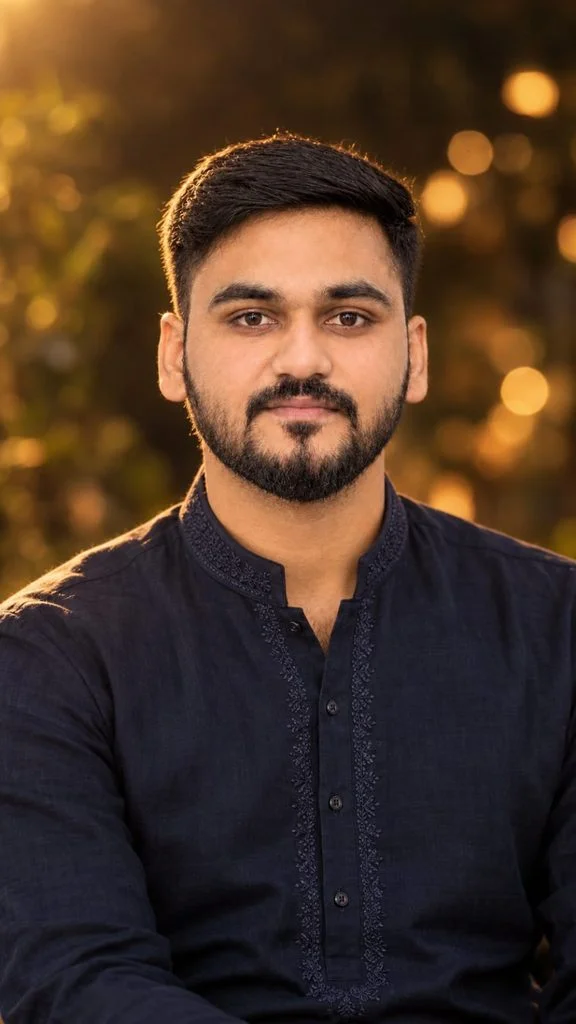
Create an ultra-realistic cinematic portrait by replacing the girl in the FIRST uploaded image with the boy from the SECOND uploaded image.
IMPORTANT REFERENCE RULE:
– FIRST IMAGE = exact reference for composition, framing, camera angle, pose, body placement, background, lighting, color grading, depth of field, bokeh, atmosphere, and overall photographic style.
– SECOND IMAGE = exact identity reference for the boy.
– Use the boy’s face and identity exactly as shown in the SECOND image.
– Do NOT change, beautify, redesign, feminize, or reinterpret his face.
STRICT IDENTITY PRESERVATION:
Preserve the boy’s exact facial identity and natural features from the SECOND image:
– same face shape
– same jawline
– same cheek structure
– same eyes and eye shape
– same eyebrows
– same nose
– same lips and mouth shape
– same skin tone and natural skin texture
– same hairline
– same hairstyle and hair texture
– same natural facial proportions
– same recognizable appearance
Do not make him look like a different person. Do not use an artificial handsome-face filter. Do not smooth or reshape his face. No face swap artifacts.
COMPOSITION:
Recreate the FIRST IMAGE as closely as possible, but replace the female subject with the boy.
Keep:
– the same vertical portrait composition
– same camera perspective
– same approximate head position and scale
– same chest-up framing
– same body placement
– same direction of gaze
– same relaxed facial expression
– same shallow depth of field
– same dark, softly blurred background
– same warm golden bokeh
– same cinematic atmosphere
– same lighting direction and intensity
– same warm amber/golden color grading
– same soft highlights around the hair and shoulders
– same realistic photographic depth
CLOTHING:
Replace the girl’s clothing with an elegant dark navy-blue men’s kurta.
The kurta should be:
– deep dark navy blue
– premium traditional Indian style
– subtle elegant embroidery around the collar and front placket
– realistic cotton/linen texture
– natural folds and fabric details
– sophisticated and masculine
– not overly shiny
– not overly decorative
The boy should look naturally dressed in the kurta, with realistic shoulders, neckline, sleeves, and fabric proportions.
LIGHTING:
Match the FIRST IMAGE’s lighting exactly:
– warm golden-hour/late-evening illumination
– soft warm rim light from the upper-left/back side
– subtle golden highlights on the hair
– natural warm light across the face
– gentle shadows
– realistic skin highlights
– soft amber glow in the background
– cinematic but still photographic
– no artificial studio lighting
BACKGROUND:
Keep the background visually consistent with the FIRST IMAGE:
– dark, warm, softly blurred environment
– golden circular bokeh lights
– subtle out-of-focus foliage/background texture
– no new objects
– no people
– no distracting elements
– no major changes to the environment
PHOTOGRAPHIC STYLE:
Ultra-realistic real-camera photography.
Natural skin texture.
Realistic hair strands.
Realistic fabric texture.
Natural facial details.
Subtle lens characteristics.
Shallow depth of field.
Soft natural bokeh.
High dynamic range without excessive HDR.
Warm cinematic color grading while maintaining realistic skin tones.
The final image must look like a genuine photograph of the SAME BOY from the SECOND IMAGE photographed in the exact visual style and setting of the FIRST IMAGE.
MOST IMPORTANT:
Do not change the boy’s face or identity.
Do not make him look like the original girl.
Do not create a generic male face.
Do not alter his facial structure.
Do not change his hairstyle.
Do not change his natural skin tone.
Only change the clothing, environment/composition integration, pose adaptation, and lighting so that he naturally fits into the FIRST IMAGE.
NEGATIVE PROMPT:
different face, altered identity, generic male face, face replacement artifacts, beautified face, smooth plastic skin, fairer skin, changed skin tone, different hairstyle, changed hairline, feminine face, facial reshaping, jaw alteration, nose alteration, eye alteration, lip alteration, unrealistic skin, CGI, 3D render, cartoon, illustration, anime, oversharpening, excessive HDR, excessive saturation, fake bokeh, artificial lighting, distorted anatomy, extra fingers, extra limbs, blurry face, duplicate person, watermark, text, logo.
OUTPUT:
Vertical 9:16 portrait, highly detailed, photorealistic, natural camera realism, matching the FIRST IMAGE as closely as possible while preserving the boy’s exact identity from the SECOND IMAGE..
How to Use Alfaaz Song Prompts in ChatGPT
Creating an AI photo is simple when you follow the correct steps.
Open ChatGPT and start a new conversation.
Upload a clear photo that you want to edit.
Choose one of the prompts from this article.
Copy and paste the prompt into the chat.
Ask ChatGPT to generate or edit the image if the feature is available.
Review the result and request changes to the lighting, background, or outfit if necessary.
You can experiment with different aesthetics to make your Alfaaz Song photos look unique.
Cinematic style: Use dramatic shadows and film-like colors.
Romantic style: Add warm lighting and soft backgrounds.
Vintage style: Try subtle film grain and muted colors.
Street-style portrait: Use urban backgrounds and fashionable outfits.
Night portrait: Add realistic city lights and moody tones.
Choose a style that matches your photo and the mood you want to express.
Tips for Better Alfaaz Song AI Photo Edits
For more realistic and attractive results, keep these tips in mind:
Upload a clear, high-quality photo.
Include instructions to preserve your facial identity.
Avoid adding too many effects in one prompt.
Describe the lighting, background, clothing, and mood clearly.
Ask for realistic skin texture instead of excessive smoothing.
Generate a few variations and choose your favorite.
Use a vertical 4:5 image for Instagram posts or a 9:16 image for Stories and Reels.
Conclusion
The Alfaaz Song AI Photo Editing Prompts 2026 trend offers an easy way to create stylish, music-inspired portraits without complicated editing software. Whether you prefer romantic lighting, cinematic effects, dark aesthetics, or modern Punjabi-inspired looks, these ChatGPT prompts give you a useful starting point.
Copy your favorite prompt, upload a suitable photo, and experiment with different styles until you find the look you love. With a few adjustments, you can create attractive AI portraits for your social media profiles and posts.
Navratri is a wonderful time to celebrate colorful outfits, traditional looks, festive decorations, and beautiful memories. If you want to give your photos a special Navratri look this year, AI photo editing tools can help you create eye-catching festival portraits without spending hours editing them manually. With ChatGPT and other AI photo editing tools, you…
Imagine a black-and-white photograph where every detail tells a story: a stylish outfit, a powerful Scorpio SUV, dramatic shadows, and a camera angle that makes the entire scene look like a movie still. This is exactly why the Scorpio Bonnet Top-Angle AI Photo Trend is catching attention among boys who love bold portraits and classy…
Movie poster-style photos are becoming a big trend among Indian photo editing fans. Dark backgrounds, emotional expressions, cinematic lighting, and dramatic scenes can make a normal portrait look more like a film poster. The Awarapan 2 Movies Poster Photo Prompt is designed for people who want this dark and emotional cinematic look. You can use…
Raksha Bandhan is more than a festival. It is a celebration of love, memories, and the special bond between a brother and sister. Today, you can turn a simple photo into a beautiful festive memory with the right Raksha Bandhan AI Photo Editing Prompt. A good prompt can add traditional outfits, colorful decorations, rakhi threads,…
India’s Independence Day is a great time to create something personal and fun. A new trend is mixing the 15 August theme with Motu Patlu and a custom name. You can create a colorful image first and then turn it into a short talking video. The best part is that you do not need advanced…
Instagram is full of creative photo editing trends, but the 3 Layer Photo Editing AI Prompt is getting the most attention in 2026. This editing style gives your photo a premium look by separating the subject into three layers. The result feels more cinematic, realistic, and eye-catching. The best part is that you don’t need…