3 Layer Photo Editing AI Prompt: Viral ChatGPT Style 2026
Instagram is full of creative photo editing trends, but the 3 Layer Photo Editing AI Prompt is getting the most attention in 2026. This editing style gives your photo a premium look by separating the subject into three layers. The result feels more cinematic, realistic, and eye-catching.
The best part is that you don’t need advanced editing skills. With a good AI prompt and a clear photo, tools like ChatGPT can create stunning layered portraits in minutes. If you want your Instagram post, profile picture, or Reel thumbnail to stand out, this trend is worth trying.
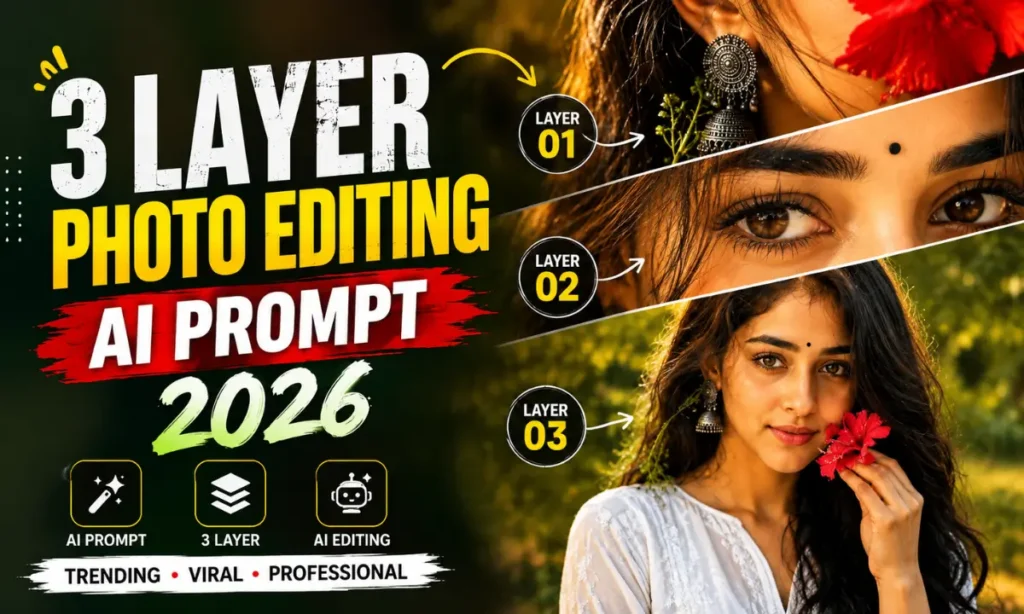
What Is the 3 Layer Photo Editing AI Prompt?
The 3 Layer Photo Editing AI Prompt is a prompt that tells an AI image generator to divide a photo into three visual layers. Also visit: mera prompt
These layers usually include:
- Foreground for depth and focus
- Main subject in the center
- Background with cinematic blur or creative effects
This layered composition makes a normal portrait look more professional. Many Instagram creators, digital artists, and AI photo editing enthusiasts use this style because it adds depth without complicated editing.
Whether you are creating a profile photo, social media post, or wallpaper, this prompt helps produce clean and realistic results.
3 Layer Photo Editing AI Prompt (Copy & Paste)
Upload a clear portrait photo before using the prompt below.
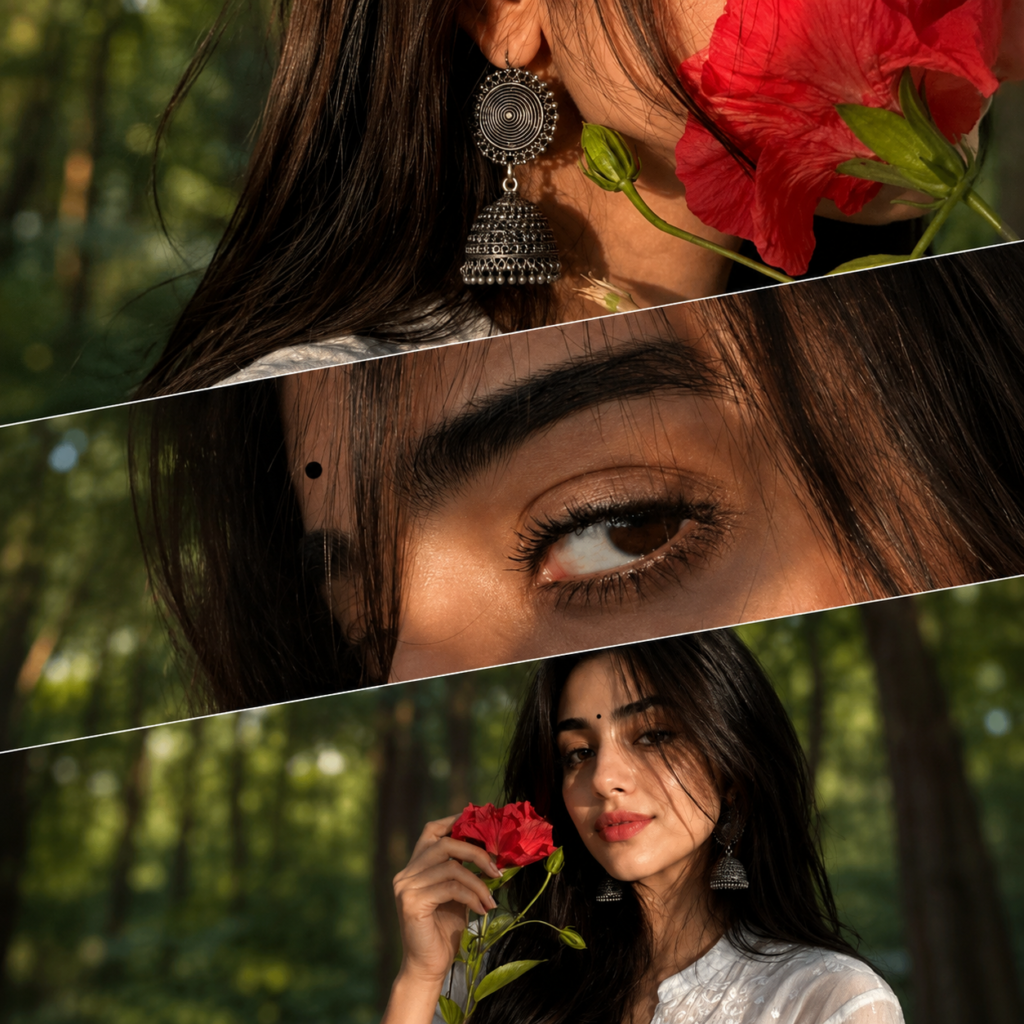
Use the uploaded reference image as the PRIMARY facial identity reference and preserve her facial identity with complete accuracy. DO NOT alter, beautify, stylize, reshape, age, slim, or modify any facial feature. Keep the EXACT face shape, forehead, hairline, skin tone, eyebrows, eyes, eyelashes, nose, lips, jawline, ears, expression, and natural facial proportions identical to the reference image. Maintain the same hairstyle, hair texture, hair colour, and visible face angle. Facial identity is the top priority and must remain perfectly consistent across all three panels.
Create an ultra-realistic cinematic artistic three-panel diagonal collage with overlapping slanted sections in a 9:16 aspect ratio.
The same woman must appear in every panel with identical facial identity.
TOP PANEL:
Extreme close-up of the side of her face, neck, and ear. Long straight black hair. A large antique oxidized silver jhumka featuring a circular spiral pattern with layered bell detailing. A fresh green flower stem rests beside the earring, while a vibrant red flower petal partially covers the side of her face. Warm natural skin tones enhanced by soft golden sunlight gently illuminating her face.
MIDDLE PANEL:
Ultra-macro close-up of ONE expressive dark-brown eye looking sideways. The eye, eyebrow, eyelids, kajal, eyelashes, skin texture, and nearby facial features must exactly match the uploaded reference image. Deep black kajal, soft smoky eyeliner, long curled eyelashes, a neatly shaped eyebrow, and a small round black bindi above the eyebrow. Soft golden sunlight naturally highlights the eye and upper part of the face.
BOTTOM PANEL:
Upper-half portrait showing the head, shoulders, and upper body. She is wearing a white chikankari kurti. Her face, hairstyle, makeup, expression, skin tone, and every facial feature must exactly match the uploaded reference image and remain consistent with the middle panel. Long straight black hair. Large antique oxidized silver jhumka. She gently holds a bright red flower beside her face while a fresh green flower stem rests near the earring. Warm natural skin tones with beautiful golden-hour sunlight illuminating her face. Natural and graceful pose.
Background:
Softly blurred lush green forest with creamy bokeh, warm golden-hour sunlight filtering through the trees, cinematic HDR lighting, ultra-realistic DSLR photography, razor-sharp focus, natural colours, realistic skin texture, premium editorial look, 8K quality.
Negative Prompt:
different face, different woman, altered identity, beautified face, anime, illustration, cartoon, CGI, extra eyes, asymmetrical face, different hairstyle, plastic skin, blurry face, low quality, distorted facial features, incorrect eye shape, duplicate face.
How to Use This Prompt
Creating this effect is simple. Follow these steps.
- Open ChatGPT or another AI image generator that supports image editing.
- Upload your best portrait photo.
- Copy and paste the prompt above.
- Generate the image.
- Review the result and regenerate if you want a different background or lighting.
- Download the final image and share it on Instagram, Facebook, or WhatsApp.
Best Tips for Better Results
A few small changes can make your AI-generated image look much better.
- Use a high-resolution portrait.
- Face the camera directly.
- Choose natural daylight whenever possible.
- Avoid blurry or low-quality photos.
- Wear clothes with simple colors for cleaner layering.
- Try different backgrounds to match your personal style.
- Generate two or three versions before choosing the best one.
Why This Prompt Is Going Viral
There are several reasons why this editing style is becoming popular.
- Gives photos a premium cinematic look.
- Creates realistic depth without manual editing.
- Perfect for Instagram Reels, profile pictures, and thumbnails.
- Saves time compared to traditional photo editing.
- Works well with selfies, portraits, and fashion photos.
- Easy for beginners to use.
Many content creators use layered AI editing to make their social media profiles look more attractive. As AI image generation continues to improve, this style has become one of the most searched AI photo editing trends.
Final Thoughts
The 3 Layer Photo Editing AI Prompt is a simple way to transform an ordinary portrait into a professional-looking image. With just one prompt and a clear photo, you can create realistic layered portraits that grab attention on Instagram and other social media platforms.
Feel free to experiment with different lighting, backgrounds, and color styles to create a unique look. Small prompt changes can produce completely different results, making every image feel fresh and creative.