
Raksha Bandhan AI Photo Editing Prompt for Siblings 2026
Raksha Bandhan is more than a festival. It is a celebration of love, memories, and the special bond between a brother and sister.
Today, you can turn a simple photo into a beautiful festive memory with the right Raksha Bandhan AI Photo Editing Prompt. A good prompt can add traditional outfits, colorful decorations, rakhi threads, sweets, flowers, and warm festival lighting while keeping the image personal.
Whether you want a realistic sibling portrait, an emotional rakhi ceremony, or a festive photo for Instagram and WhatsApp, these ideas can help you create something special. Also check: Awarapan 2 Movie Poster & 3 Layer AI Photo Prompt.
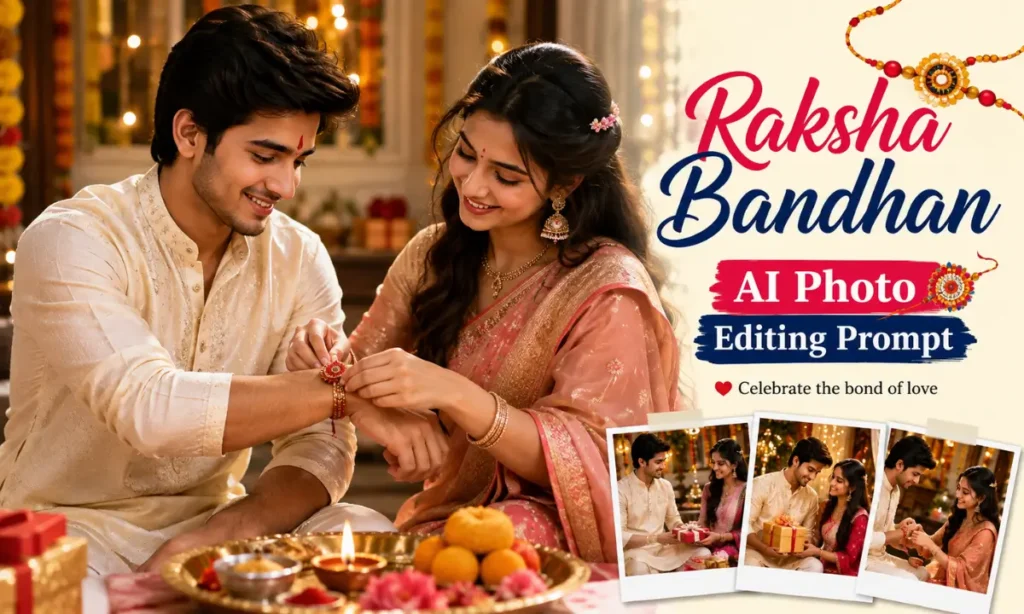
What Is a Raksha Bandhan AI Photo Editing Prompt?
A Raksha Bandhan AI Photo Editing Prompt is a detailed instruction that tells an image generator how your final photo should look.
You can upload a clear photo and describe the scene you want. For example, you can add a traditional kurta, saree, rakhi, puja thali, marigold flowers, laddoos, diyas, or a warm home background.
Popular prompt ideas in current search results focus on sibling portraits, rakhi ceremonies, close-up festival details, family celebrations, and greeting-style images.
The best part is that you can change the mood and style without planning a real photoshoot. Try different versions until the image feels close to your idea.
Best Raksha Bandhan AI Photo Editing Prompts
Below are some unique, copy-and-use prompt ideas. You can upload your own photo as a reference where the tool supports it.
1. Traditional Brother and Sister Rakhi Ceremony
2. Warm and Emotional Sibling Portrait
3. Rakhi Close-Up Photo Prompt
4. Elegant Traditional Raksha Bandhan Portrait
How to Create a Raksha Bandhan AI Photo
Creating a festive image is usually simple. The exact buttons may differ between tools, but the basic workflow is similar: start with a prompt or reference image, describe the style, and generate several versions. Dreamina’s current workflow, for example, emphasizes uploading a reference or starting with text, refining details such as lighting and composition, and comparing the generated results.
Step 1: Choose a Clear Photo
Use a photo where the face is clearly visible. Good lighting can also help the tool understand important facial details.
If you are creating a brother-sister image, use suitable reference photos of both people when the platform allows multiple references.
Step 2: Copy Your Favourite Prompt
Choose one of the prompts above and paste it into your preferred image generator.
Then adjust small details such as:
- Outfit colour
- Rakhi design
- Background
- Lighting
- Pose
- Camera angle
- Image ratio
A detailed prompt usually gives you more control over the final scene.
Step 3: Generate and Compare Results
Do not stop after the first image.
Generate a few versions and compare them. You can then change one or two details in the prompt and try again.
This helps you find a more natural pose, better lighting, and a stronger festival mood. Current prompt workflows also commonly recommend keeping the main visual direction consistent while testing variations.
Tips for Better Raksha Bandhan AI Photos
A few small details can make a big difference.
- Use clear and high-quality reference photos.
- Mention the exact outfit you want.
- Add Indian festival elements such as rakhi, sweets, diyas, flowers, and a puja thali.
- Ask for natural facial expressions and realistic skin details.
- Keep the background simple if the people are the main focus.
- Choose 9:16 for vertical social posts or 16:9 for feature images and banners.
- Generate several versions instead of relying on one result.
You can also experiment with a cinematic portrait, DSLR-style photography, soft bokeh, golden-hour lighting, or a natural candid moment.
Why Are Raksha Bandhan AI Photos Trending?
Raksha Bandhan photos are becoming popular because people want festival wishes that feel personal.
Instead of using the same greeting image as everyone else, you can create a picture based on your own memories, style, and sibling bond. Current prompt collections and image-generation pages also heavily focus on personalized brother-sister portraits and festive scenes.
It is also fun to experiment with different looks. You can create a traditional portrait, a cinematic scene, a family celebration, or a simple close-up of the rakhi ceremony.
For many people, the best image is not the most dramatic one. It is the one that feels personal.
Final Words
A Raksha Bandhan AI Photo Editing Prompt can help you turn a simple picture into a memorable festival image. You do not need a studio setup to experiment with different outfits, backgrounds, lighting, and celebration scenes.
Choose a prompt that matches your style, add your personal touch, and create a photo that reminds you of the special bond you share with your sibling.


One Comment